Vocal rider · VST3 + AU
Rider
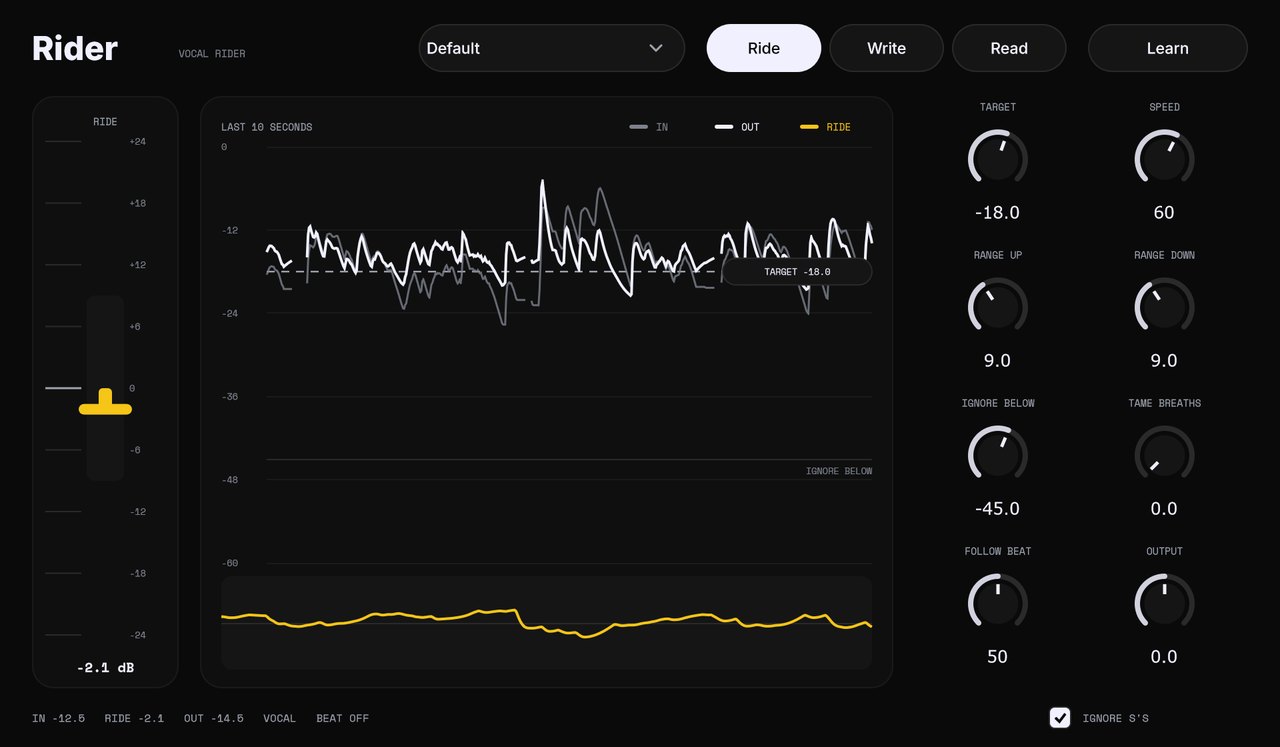
It turns the quiet words up and the loud words down while you record, so the vocal sits at one level. FL Studio, Logic, Ableton, Reaper.
Version 0.1 · Windows 10/11 64-bit · macOS 11 or newer
Windows
Install in a minute
- Open Rider-0.1-windows-setup.exe.
- Windows will say it protected your PC. That's because Rider is new and unsigned. Click More info, then Run anyway.
- Click Install.
- In FL Studio: Options › Manage plugins › Find installed plugins. Rider shows up under Ruthless Ideas.
Mac
Install in a minute
- Open Rider-0.1-mac.pkg. The Mac will say it can't check it. That's because Rider is new and unsigned. Click Done.
- Open System Settings › Privacy & Security, scroll down, click Open Anyway next to Rider.
- Click through the installer.
- In Logic: Settings › Plug-in Manager › Reset & Rescan. Rider is under Audio Units › Ruthless Ideas.
Using it
- Where
- On the vocal track, first in the chain, before compression.
- Learn
- Hit it and sing 6 seconds. It sets the target to your own level.
- Range
- The most it will ever push up or pull down.
- Speed
- Low for smooth singing, high for rap.
- Ignore below
- Room noise and bleed under this level are left alone.
- Tame breaths
- Pulls the gaps between words down.
- Follow beat
- Send the beat to Rider's sidechain. When the beat gets louder, the vocal comes up with it.
- Write / Read
- Write records the ride as automation. Read plays it back so you can fix any move by hand.